为 DNP DS-RX1 打造Built for the DNP DS-RX1Dibina untuk DNP DS-RX1

DNP 相片打印机的
创意工作室
The creative studio
for your DNP photo printer
Studio kreatif untuk
pencetak foto DNP anda

编辑、拼贴、大头贴、证件照、大海报拼接、照片马赛克、手机扫码上传、活动自动打印——一个软件完成,做好直接出 6x4 或 6x8 相片。Edit, make collages, run a photo booth, print passport photos, tile giant posters, build photo mosaics, take uploads from guests' phones and auto-print at events — all in one app, straight to 6x4 or 6x8 prints.Sunting foto, buat kolaj, jalankan photo booth, cetak foto pasport, cantum poster gergasi, hasilkan mozek foto, terima foto daripada telefon tetamu dan cetak secara automatik di acara — semuanya dalam satu aplikasi, terus menjadi cetakan 6x4 atau 6x8.

v1.3.0 · Windows 10 / 11 · 0.6 MB · 免安装No installationTanpa pemasangan

在线版界面暂为中文The online version is currently available in Chinese onlyAntara muka versi dalam talian buat masa ini dalam bahasa Cina sahaja

一个软件,十种玩法One app, ten ways to printSatu aplikasi, sepuluh cara mencetak

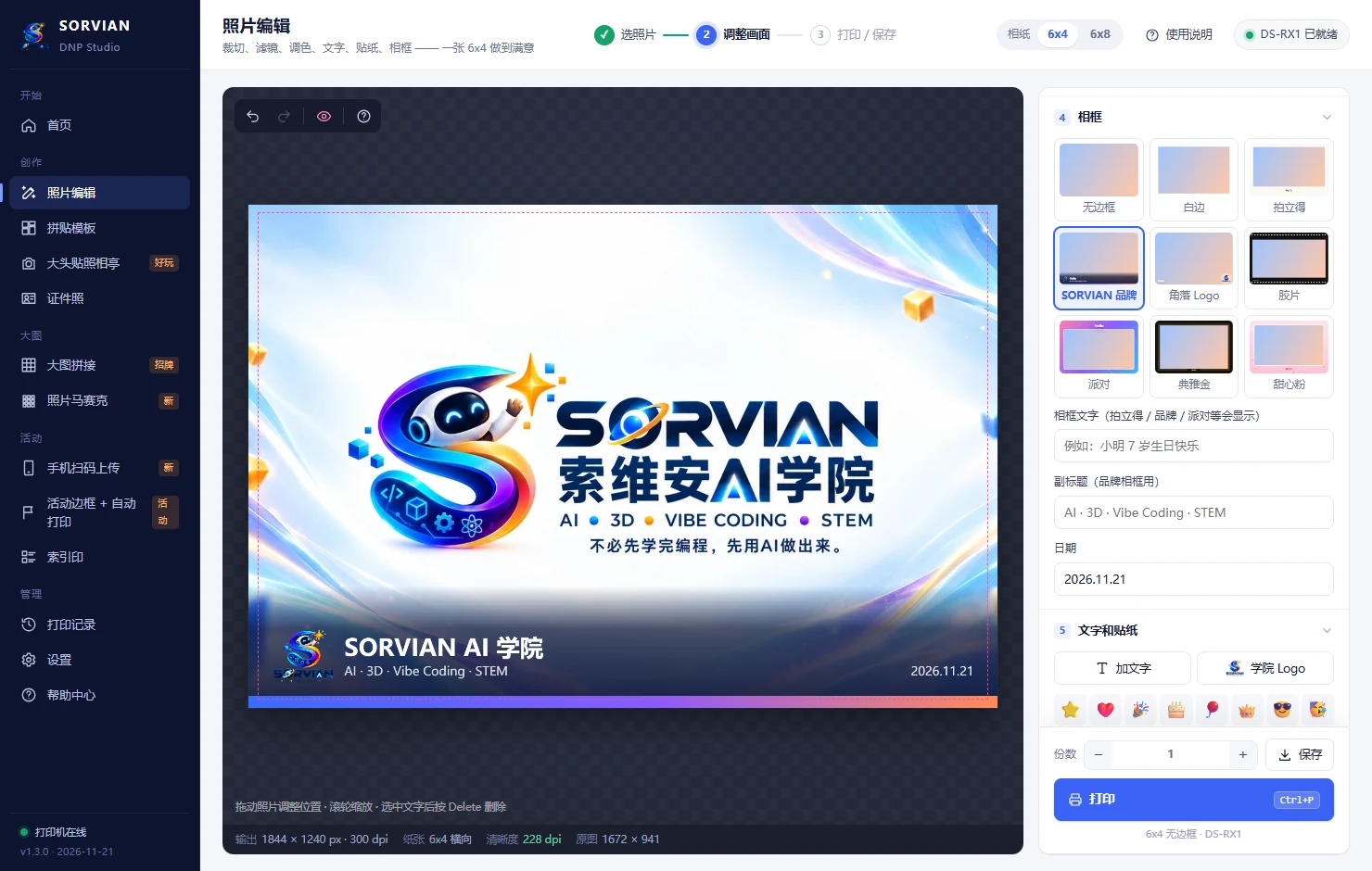
照片编辑Photo editorPenyunting foto

裁切、9 款滤镜、调色、文字、贴纸、9 款相框,支持撤销重做。Crop, 9 filters, colour adjustments, text, stickers and 9 frames — with undo and redo.Pangkas, 9 penapis, pelarasan warna, teks, pelekat dan 9 bingkai — boleh buat asal dan buat semula.

拼贴模板CollagesKolaj

2 到 16 格版式,一键填入多张照片,可调间距、圆角和标题。Layouts from 2 to 16 photos. Fill them in one go, then fine-tune spacing, corners and titles.Susun atur untuk 2 hingga 16 foto. Isi sekali gus, kemudian laraskan jarak, sudut bulat dan tajuk.

大头贴照相亭Photo boothPhoto booth

电脑摄像头倒数连拍,自动排成 2x6 照相条,一张相纸出两条。Countdown burst shots from the webcam, laid out as 2x6 strips — two strips per sheet.Ambil foto berturut-turut dengan kiraan detik melalui kamera web, lalu disusun sebagai jalur 2x6 — dua jalur bagi setiap helai kertas foto.

证件照Passport & ID photosFoto pasport & dokumen

马来西亚护照、签证、1 寸、2 寸等规格,参考线对准,一张排满并带裁切标记。Malaysian passport, visa and other sizes. Line up with guides, then fill a sheet with crop marks.Saiz pasport Malaysia, visa dan saiz dokumen lain. Selaraskan dengan garis panduan, kemudian penuhkan satu helai dengan tanda potong.

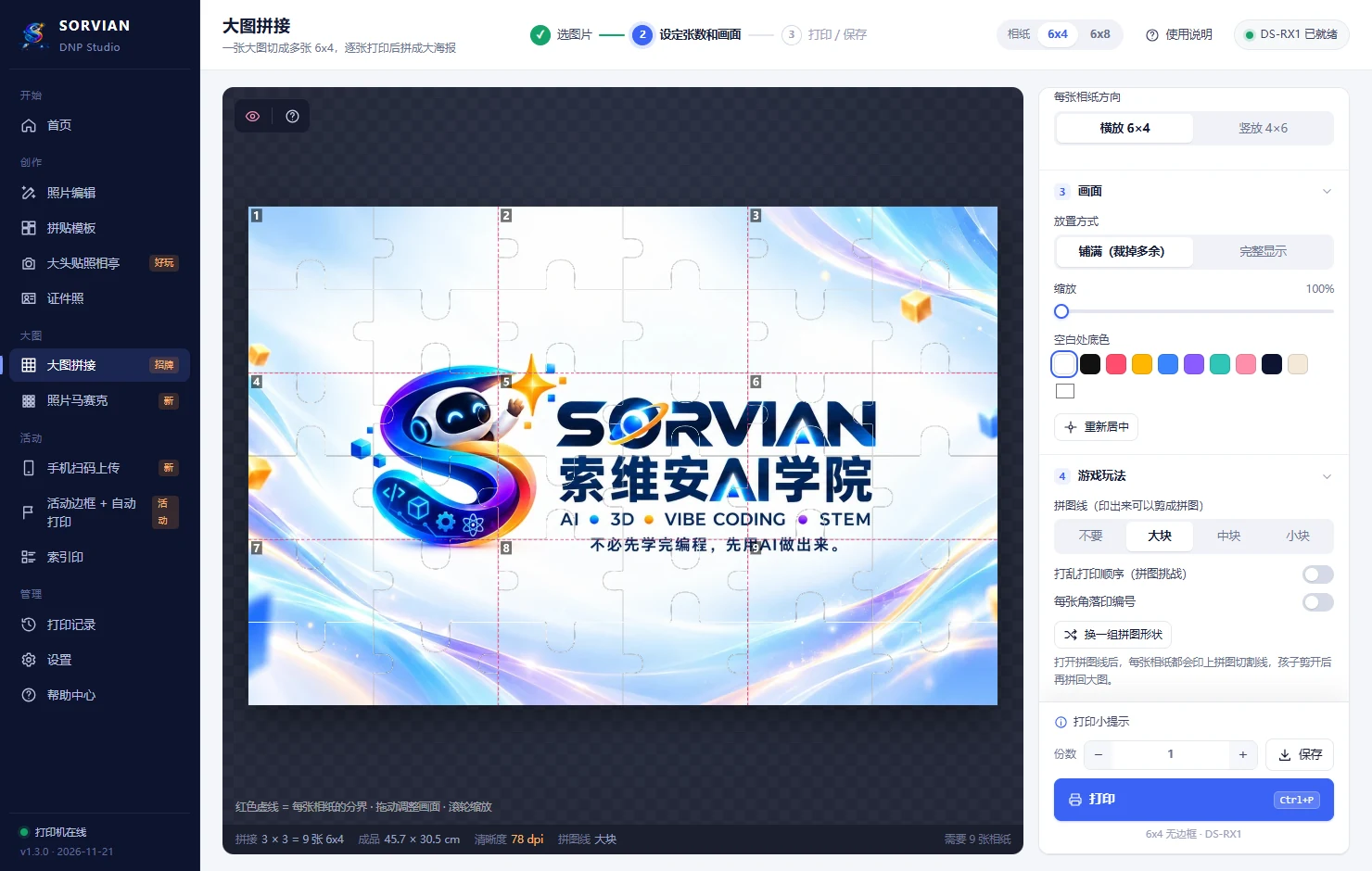
大海报拼接Giant postersPoster gergasi

一张大图切成 9 到 30 张或更多 6x4,拼成大海报;还能印拼图线当游戏。Split one image into 9, 30 or more 6x4 prints and join them into a poster — or add jigsaw lines for a puzzle game.Pecahkan satu imej kepada 9, 30 atau lebih keping cetakan 6x4, kemudian cantumkan menjadi poster — atau cetak garis jigsaw untuk dijadikan permainan teka-teki.

照片马赛克Photo mosaicsMozek foto

几百张小照片拼出一个 logo 或任何图案,再送去做大海报。Hundreds of small photos come together to form a logo or any picture — then print it as a poster.Ratusan foto kecil disusun membentuk logo atau mana-mana imej — kemudian dicetak sebagai poster.

手机扫码上传QR phone uploadsMuat naik melalui kod QR

客人扫二维码就能把手机照片传来;审核后打印,可定时换码、限量、拉黑,防止恶意打印。Guests scan a QR code to send photos from their phones. Approve before printing, rotate codes, set limits and block misuse.Tetamu mengimbas kod QR untuk menghantar foto daripada telefon mereka. Luluskan dahulu sebelum dicetak, tukar kod secara berkala, hadkan bilangan dan sekat penyalahgunaan.

活动自动打印Event auto-printCetak automatik untuk acara

照片放进文件夹就自动套上活动相框并打印,原图自动归档。Drop photos into a folder and they're framed with your event design and printed automatically.Letakkan foto dalam folder dan foto itu akan dibingkaikan dengan reka bentuk acara anda, lalu dicetak secara automatik.

索引印Index printsCetakan indeks

几十张照片缩成一张目录,客人看编号挑选要印哪张。Dozens of numbered thumbnails on one sheet, so guests can pick the ones they want.Berpuluh-puluh gambar kecil bernombor pada satu helaian supaya tetamu dapat memilih foto yang mahu dicetak.

打印记录Print historyRekod cetakan

每张打印都会留底,随时一键补印。打印前会先显示预览和用纸张数。Every print is kept for one-click reprints, and you always see a preview and sheet count first.Setiap cetakan disimpan supaya boleh dicetak semula dengan sekali klik. Pratonton dan bilangan helaian sentiasa dipaparkan sebelum mencetak.

软件画面A look insidePaparan aplikasi

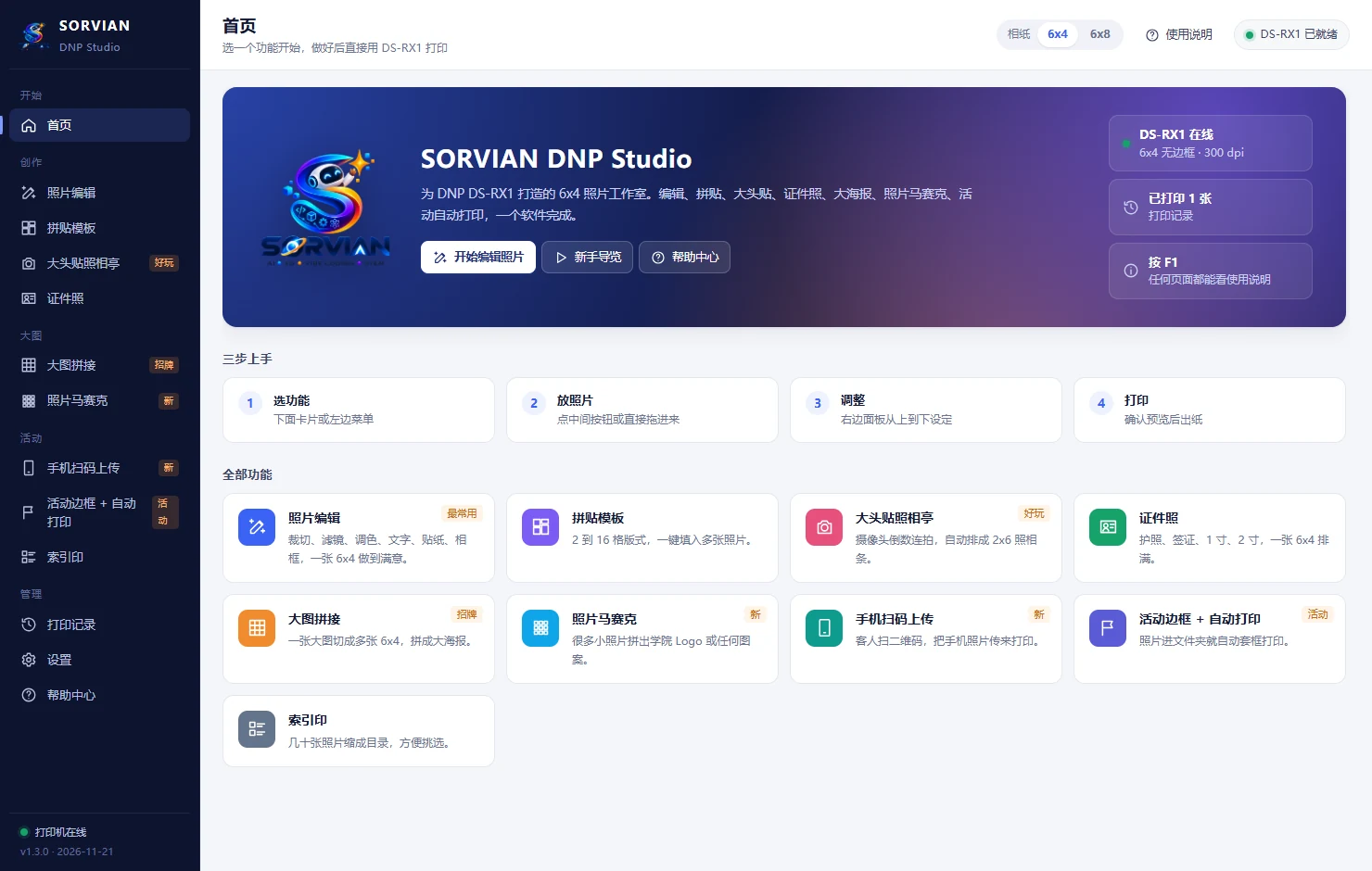
首页HomeLaman utama
大海报拼接Giant postersPoster gergasi
手机扫码上传QR phone uploadsMuat naik melalui kod QR

三步开始Get started in three stepsMula dalam tiga langkah

  1. 安装 DNP 驱动Install the DNP driverPasang pemacu DNP接好 USB、开机,在 Windows 设置里看到 DS-RX1 即可。Connect the printer via USB and switch it on. You're ready once Windows lists the DS-RX1.Sambungkan pencetak melalui USB dan hidupkan. Anda sudah sedia apabila Windows menyenaraikan DS-RX1.
  2. 下载、解压、双击打开Download, unzip, openMuat turun, ekstrak, buka不需要安装。第一次打开会有新手导览。No installation needed. A short tour guides you the first time.Tidak perlu dipasang. Panduan ringkas akan dipaparkan apabila anda membukanya buat kali pertama.
  3. 选功能,打印Pick a tool, printPilih fungsi, cetak做好后按「打印」,确认预览就出纸。任何页面按 F1 看说明。Press Print, check the preview and your photos come out. Press F1 for help on any screen.Tekan Cetak, semak pratonton dan foto anda akan dicetak. Tekan F1 untuk bantuan di mana-mana skrin.
SORVIAN DNP Studio v1.3.0 Windows 10 / 11 · 适用 DNP DS-RX1 及其他 DNP 6x4 / 6x8 打印机Windows 10 / 11 · For the DNP DS-RX1 and other DNP 6x4 / 6x8 printersWindows 10 / 11 · Untuk DNP DS-RX1 dan pencetak DNP 6x4 / 6x8 yang lain SHA-256: ba9a88ffae2a10f2c47d889a09e183c548f29236a1116fa4d078f68db2fbbf74
下载DownloadMuat turun

常见问题FAQSoalan lazim

打开时 Windows 说「已保护你的电脑」?Windows says "Windows protected your PC"?Windows memaparkan "Windows protected your PC"?

这是新软件常见的提示。点「更多信息」→「仍要运行」即可。下载后可以用上面的 SHA-256 核对文件。This is common for new apps. Click "More info" → "Run anyway". You can check the file against the SHA-256 above.Ini perkara biasa bagi aplikasi baharu. Klik "More info" → "Run anyway". Anda boleh menyemak fail yang dimuat turun dengan SHA-256 di atas.

照片会上传到网络吗?Are my photos uploaded to the internet?Adakah foto saya dimuat naik ke internet?

不会。所有处理都在你的电脑上完成。手机扫码上传也只在现场 Wi-Fi 内传到你的电脑。No. Everything is processed on your computer. QR uploads travel only over the venue Wi-Fi to your computer.Tidak. Semua pemprosesan dilakukan pada komputer anda. Muat naik melalui kod QR hanya dihantar ke komputer anda melalui Wi-Fi di tempat acara.

支持哪些打印机?Which printers are supported?Pencetak manakah yang disokong?

专为 DNP DS-RX1 调校(6x4、6x8 无边框,2x6 照相条);其他有 6x4 或 6x8 纸张的 DNP 打印机一般也能用。Tuned for the DNP DS-RX1 (borderless 6x4 and 6x8, plus 2x6 strips). Other DNP printers with 6x4 or 6x8 media usually work too.Dioptimumkan khas untuk DNP DS-RX1 (6x4 dan 6x8 tanpa sempadan serta jalur 2x6). Pencetak DNP lain yang menggunakan kertas 6x4 atau 6x8 biasanya juga boleh digunakan.

在线版和电脑版有什么不同?How is the online version different?Apakah bezanya versi dalam talian?

在线版免安装,可以编辑、拼贴、拍大头贴、做证件照、大海报和照片马赛克,做好下载 6x4 / 6x8 原尺寸图片,照片只在你的浏览器里处理。直接用 DS-RX1 打印、手机扫码上传、热文件夹自动打印和打印记录,要下载 Windows 版。The online version needs no installation. You can edit, make collages, run the photo booth, create passport photos, posters and mosaics, then download full-size 6x4 or 6x8 images — your photos stay in your browser. Printing straight to the DS-RX1, QR phone uploads, hot-folder auto-printing and print history need the Windows app.Versi dalam talian tidak memerlukan pemasangan. Anda boleh menyunting foto, membuat kolaj, menggunakan photo booth, menghasilkan foto pasport, poster dan mozek, kemudian memuat turun imej 6x4 atau 6x8 bersaiz penuh — foto anda kekal dalam pelayar anda. Cetak terus ke DS-RX1, muat naik melalui kod QR, cetak automatik melalui folder pantau (hot folder) dan rekod cetakan memerlukan aplikasi Windows.

需要联网或付费吗?Do I need internet access or a subscription?Perlukah sambungan internet atau langganan?

不用。软件免费,打开后完全离线运作。No. The app is free and works fully offline.Tidak. Aplikasi ini percuma dan berfungsi sepenuhnya di luar talian.